
This guide shows the recommended and easiest way to erase a Windows device before selling, returning, or giving it away.
⚠️ Before you start (important)
This will permanently erase all data, please backup your data before proceeding.
Make sure:
The device is plugged into power
You have internet access
You’ve backed up any files you need
✅ Recommended Method: Reset from Settings
Use this method if Windows can still start normally.
Step 1: Open Reset Settings
Click the Start menu
Open Settings
Go to System
Select Recovery
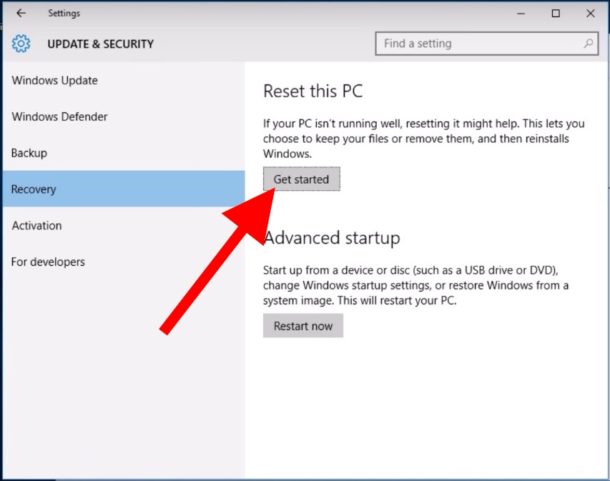
Step 2: Start Reset
Under Reset this PC, click Reset PC
Choose Remove everything
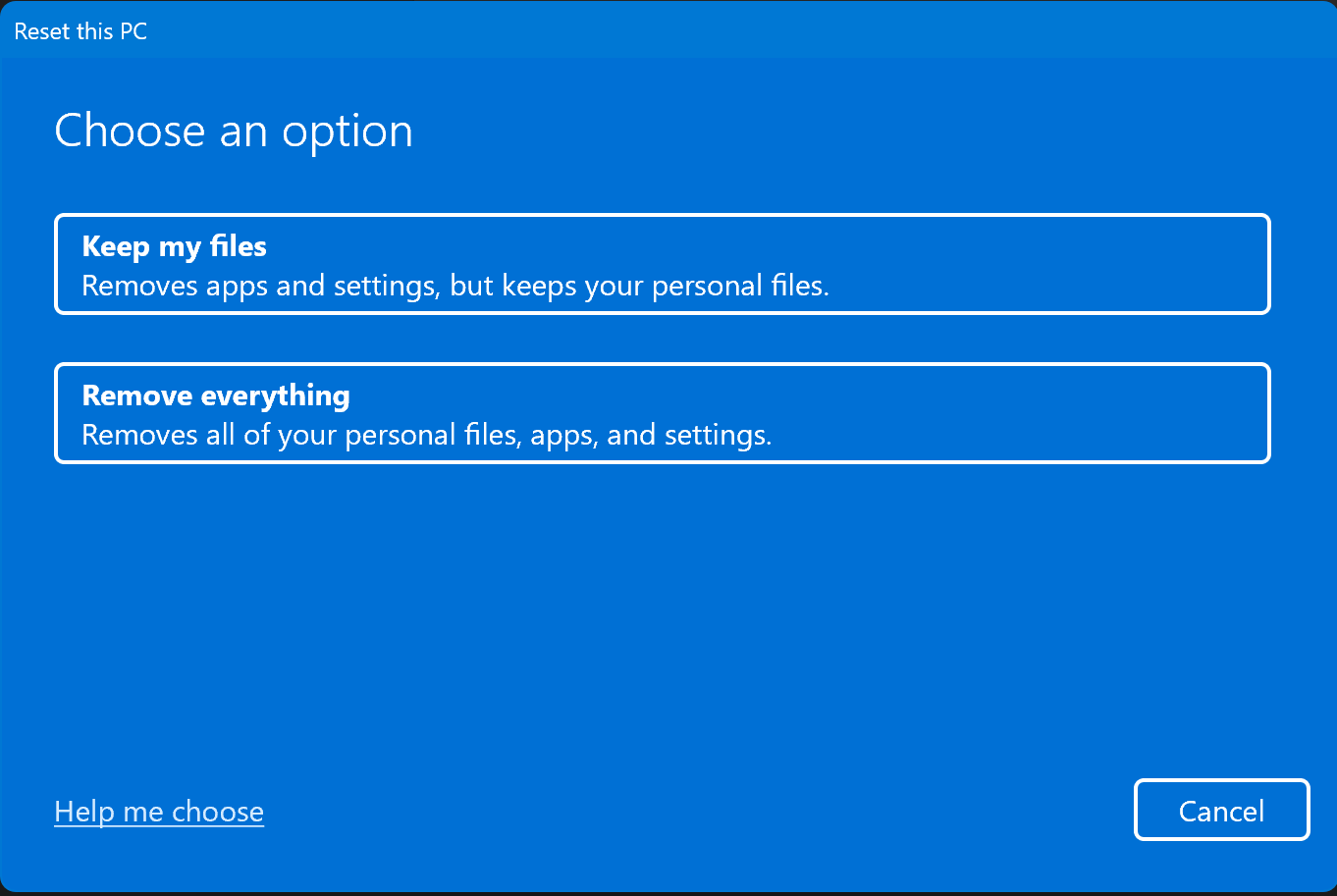
Step 3: Choose how Windows is reinstalled
You will be asked how to reinstall Windows:
Cloud download (recommended)
Downloads a fresh copy of Windows
Local reinstall
Uses existing files on the device
👉 Cloud download is recommended if available.
Step 4: Confirm and reset
Review the summary
Click Reset
The device will:
Restart automatically
Erase all data
Reinstall Windows
⏳ This may take 30–90 minutes.

Step 5: Stop at the setup screen (important)
When finished, you’ll see the Windows setup / region selection screen.
👉 Do not sign in again
If returning or selling the device:
Power it off at this screen
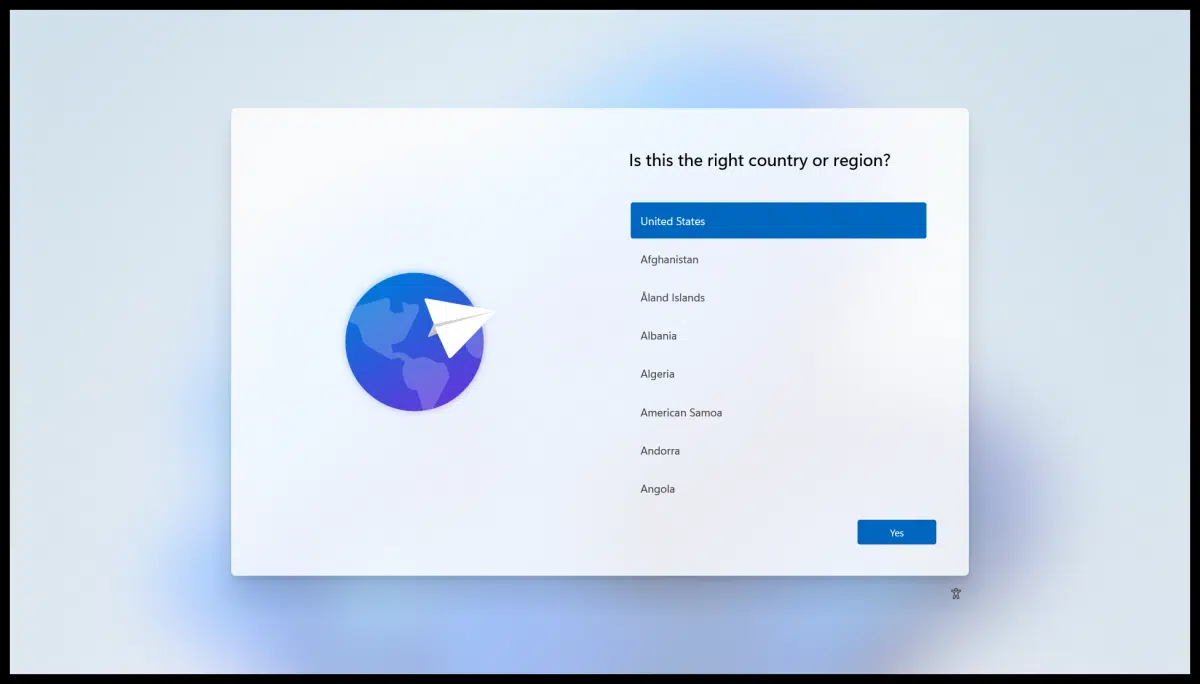
✅ The Windows device is now factory reset and ready.
Comments
0 comments
Please sign in to leave a comment.